Click here to open this guide in a new browser tab. You can also watch the Video Guide on this topic.
Allowing Fans to Upload From Camera Roll
This guide will show you how to enable the option to allow fans to upload photos directly from their Camera Roll instead of taking and submitting a new selfie. Note that fans can still only submit 1 photo at a time, regardless of which method they use.
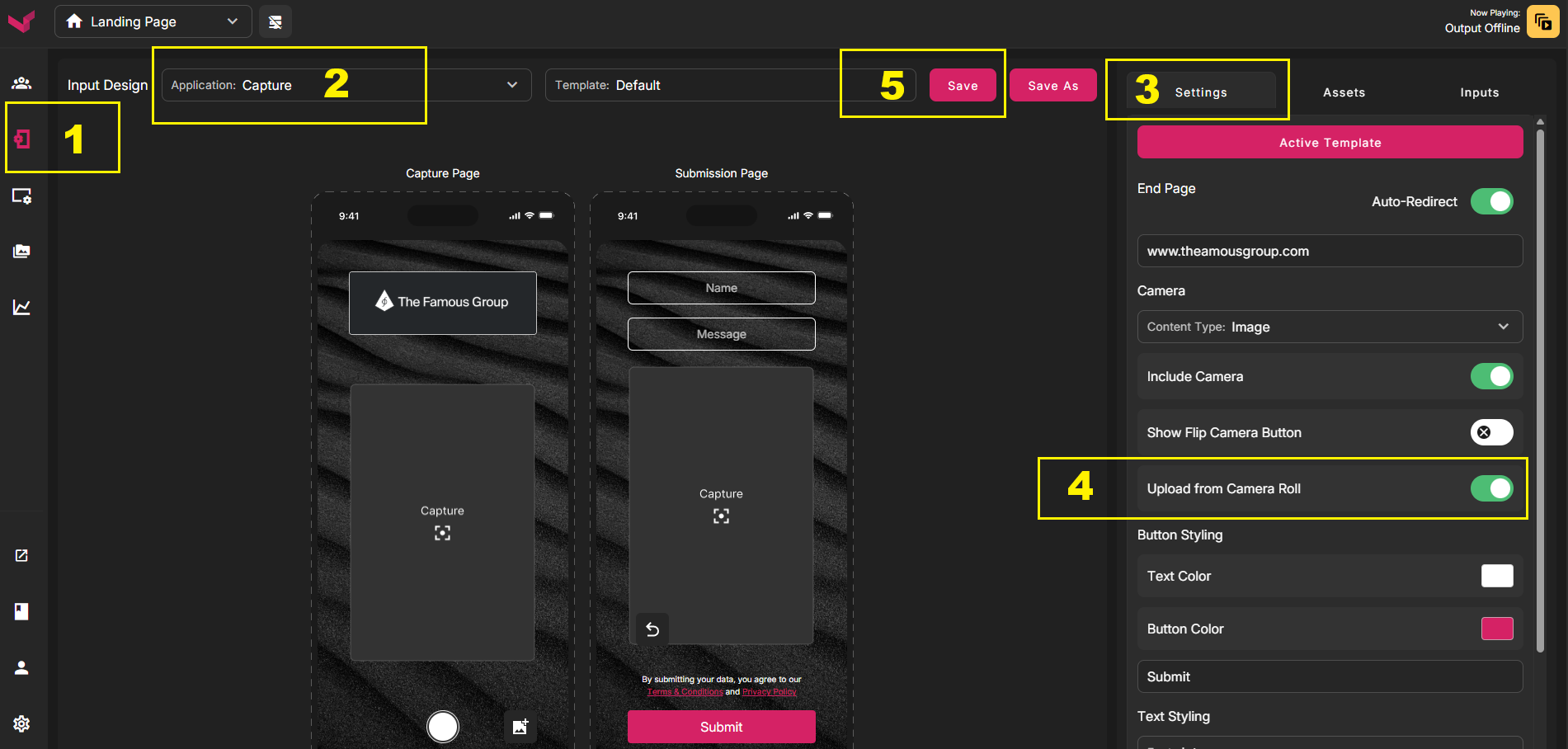
1. In the Left Nav, select Phone Design
2. In the first dropdown, select Capture
3. In the right column, ensure you are on the Settings tab
4. Toggle ON the switch for Upload From Camera Roll
5. Save
Note that any time you make changes to the active Phone Template, or when you change to a different Active Phone Template, there can be up to an 8 minute delay while the system clears the cache of the old data. Sometimes you'll see the changes within a minute or two, but other times it can take a few minutes longer.
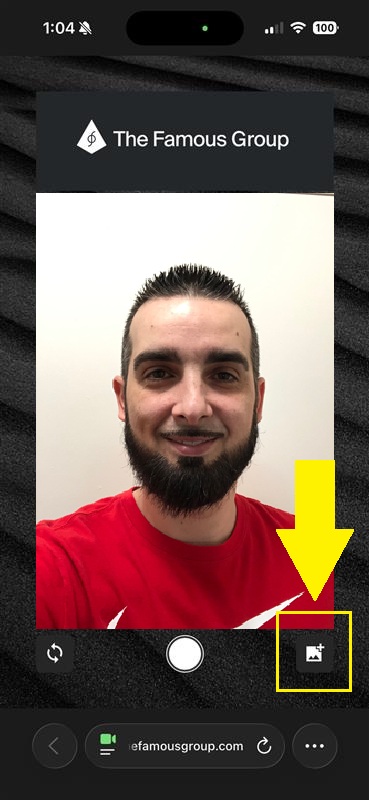
The screenshot below is where the button will appear for fans. They still have access to the standard Camera button in the middle, so each fan would be able to decide to Upload from Camera Roll or take and submit a standard selfie.
Was this article helpful?
That’s Great!
Thank you for your feedback
Sorry! We couldn't be helpful
Thank you for your feedback
Feedback sent
We appreciate your effort and will try to fix the article